Vai al contenuto principale

#adobe

One Click, Full Corruption: Critical Adobe Acrobat Flaw Found by AI-Assisted Fuzzing

Read Time:3 Minute, 37 Second

Adobe has patched a critical memory-corruption flaw in Acrobat and Acrobat Reader that co

Altro...

Read Time:3 Minute, 37 Second

Adobe has patched a critical memory-corruption flaw in Acrobat and Acrobat Reader that could let an attacker gain code execution simply by getting a victim to open a malicious PDF — no further interaction required. The vulnerability, tracked as CVE-2026-81983 and carrying a CVSS score of 7.8, lives inside Acrobat’s image-rendering pipeline, the code that begins parsing embedded image data the moment a PDF is opened.

Found by an AI-Assisted FuzzerThe bug’s discovery is itself a notable detail. Researchers at Remedio built a custom Python fuzzing tool, developed largely with help from a large language model, that took a more surgical approach than typical fuzzing. Rather than randomly corrupting entire PDF files and hoping something breaks, the tool generated small, structurally valid documents and then deliberately manipulated specific image fields — width, height, bit depth, color space, filters, and sample byte data.

That targeted approach paid off quickly. The most reliable crash came from a PDF just 745 bytes in size, containing a single crafted 16-bit image.

The Math Behind the BugAt its core, this is a classic integer overflow dressed up in modern image-parsing code. Acrobat calculates the total number of image samples by multiplying an image’s declared width by its color component count, then performs a secondary size check that adds two bytes for every 16-bit sample. The problem surfaces when that width value is extreme enough to make the resulting calculation wrap around 32-bit integer limits.

In the researchers’ proof-of-concept, a crafted image declared a width of 536,870,912 pixels, a height of one, 16 bits per color component, and the DeviceCMYK color space — four color components, which produced a sample count of 0x80000000. The related byte-size calculation then reached 0x100000000, which wraps to zero in standard 32-bit arithmetic. That wraparound let an eight-byte data stream sail past validation that should have rejected it outright.

From there, Acrobat’s byte-swap loop still believes it’s working with the original, enormous sample count, so it keeps reading and writing far past the end of a buffer that’s only 16 bytes long — corrupting memory and opening a path toward arbitrary code execution under the victim’s own user privileges.

Real-World RiskThe CVSS vector for CVE-2026-81983 describes a local attack path with low complexity, no privileges required, but mandatory user interaction — meaning a victim does need to actually open the malicious file. That’s a meaningful caveat, but in practice, getting a target to open a PDF is one of the easier social-engineering hurdles to clear: email attachments, chat links, and drive-by downloads all remain common delivery routes for malicious documents.

Adobe says it has not observed active exploitation of this vulnerability so far, though that assessment can change quickly once a patch highlights exactly where the flaw lives for anyone willing to reverse-engineer it.

The Fix and Affected VersionsAdobe addressed the root cause by switching the sample-count calculation to 64-bit math and explicitly rejecting any value above INT_MAX before it can touch memory. The fix shipped in security bulletin APSB26-141 on September 8, 2026, covering:

Acrobat and Reader Continuous — versions 26.002.21900 and earlier, fixed in 26.002.21901

Acrobat 2024 Classic — version 24.001.30383 and earlier, fixed in 24.001.30429

What Users and Administrators Should DoGiven how simple the delivery mechanism is — just opening a file — prompt patching matters more than usual here:

Install the fixed Acrobat and Reader builds immediately and confirm automatic updates remain enabled going forward.

Treat unsolicited or unexpected PDF attachments with the same caution typically reserved for executable files.

Security teams should filter suspicious PDFs at email gateways and flag file types or sources associated with past phishing campaigns.

Watch for unexplained crashes tied to Acrobat.dll across the fleet, which could indicate exploitation attempts even before confirmed reports emerge.

This isn’t the first time a crafted PDF has exposed deep parsing bugs in Acrobat, and the use of AI-assisted fuzzing to find it so efficiently suggests more issues like it may surface in older file-format parsers going forward. For now, the fix is available and the action item is straightforward: update Acrobat and Reader without delay.

#adobe #pdf #acrobatreader

0

Caricamento...

0
0

Caricamento...

Se rifare un programma costa una settimana, la prossima idea chi la paga?

Pochi giorni fa ArtCraft ha pubblicato su GitHub dodici programmi gratuiti

Altro...

Se rifare un programma costa una settimana, la prossima idea chi la paga?

Pochi giorni fa ArtCraft ha pubblicato su GitHub dodici programmi gratuiti e open source che imitano Photoshop e il resto della suite Adobe, Word, Excel e AutoCAD.
Li hanno scritti soprattutto agenti di intelligenza artificiale con il metodo della Clean Room, osservando gli originali senza toccarne il codice.
Rifare le funzioni di un programma è lecito, lo ha chiarito la Corte di Giustizia UE nel 2012 con la sentenza SAS Institute. Decompilarlo per scriverne un concorrente invece è vietato dalla Direttiva software 2009/24/CE, anche se il codice finale è diverso, e in Italia la duplicazione abusiva a scopo di profitto è reato (art. 171-bis L. 633/1941).

La partita più grande però è economica. Quando copiare costa giorni invece di anni, il vantaggio si sposta dalle funzioni alla fiducia, alla manutenzione e ai formati.
I grandi come Adobe possono reggere, ma la parte più fragile sono le piccole software house e le startup, per cui il vantaggio temporale rischia di evaporare prima ancora di costruire reputazione e mercato.

Ne parliamo oggi, su Ciao Internet
👉 https://www.youtube.com/watch?v=rMM0WlrbGIE

#adobe #photoshop #artcraft #copyrightsoftware #cleanroom

250

Caricamento...

1
25

Caricamento...

Non so se avete letto la storia delle alternative ad scritte in Rust con l’.

Non capisco la sorpresa del fatto che ci siano bug. Dai davve

Altro...

Non so se avete letto la storia delle alternative ad scritte in Rust con l’.

Non capisco la sorpresa del fatto che ci siano bug. Dai davvero vi aspettavate che fosse già pronto e 100% compatibile?

Lo “sviluppatore” inizialmente aveva annunciato che in un mese per sarebbe arrivato a sviluppare le restanti features. Poi ha detto un anno (che già mi sembra più fattibile).

Mi sembrano tempi anche corti.
Come si fa a criticare.

#adobe

2

Caricamento...

0
4

Caricamento...

🎨 Aggiornato il nostro articolo sulle alternative a Photoshop: è arrivato PhotoCraft, una ricostruzione open source (MIT/Apache-2.0) di Photoshop con

Altro...

🎨 Aggiornato il nostro articolo sulle alternative a Photoshop: è arrivato PhotoCraft, una ricostruzione open source (MIT/Apache-2.0) di Photoshop con gli stessi menu, pannelli e scorciatoie, apre e salva i PSD, funziona offline e senza account anche su Linux!

⚠️ È un'alpha scritta in gran parte insieme a un chatbot: provatelo solo su copie dei vostri file!

Grazie per la segnalazione su Feddit 🙏

👉 https://blog.lealternative.it/2022/11/09/alternative-a-photoshop/

https://getartcraft.com/apps/photocraft 👈

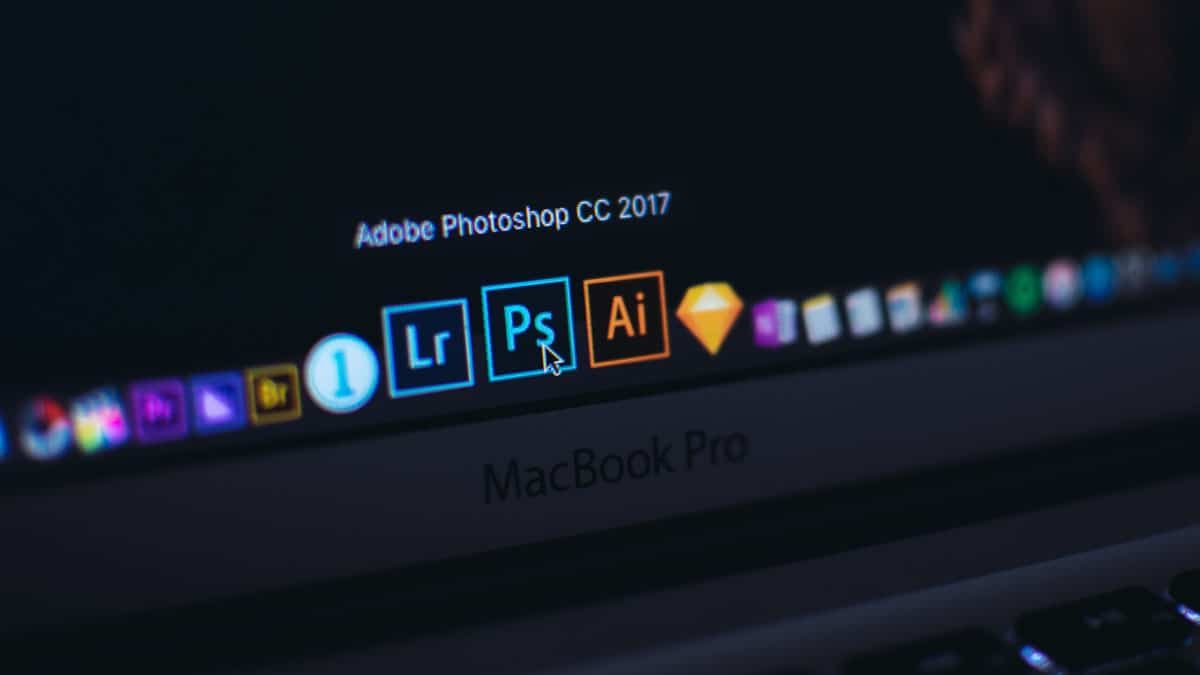
Schermo di un MacBook Pro con le icone di Adobe Photoshop, Lightroom e Illustrator nel Dock; il puntatore è posizionato sull’icona di Photoshop.

#opensource #adobe #photoshop #update

18

Caricamento...

1
7

Caricamento...

Here are three more bits of information that will (hopefully!) help users of Lightroom Classic: batch-adjusting the capture time from a reference phot

Altro...

Here are three more bits of information that will (hopefully!) help users of Lightroom Classic: batch-adjusting the capture time from a reference photo, “free” generative AI removals, and useful plugins.

Plus a workaround for the Denoise/Edit-in-Photoshop bug!

https://www.alex-kunz.com/lightroom-bits-7/

#photography #adobe #lightroomclassic #photoblog #lightroom #blogpost #adobelightroom

3

Caricamento...

0
3

Caricamento...

A summer thunderstorm rolls across Pecos National Historical Park in New Mexico. Thunder in the distance, lightning along the horizon, and sunlight br

Altro...

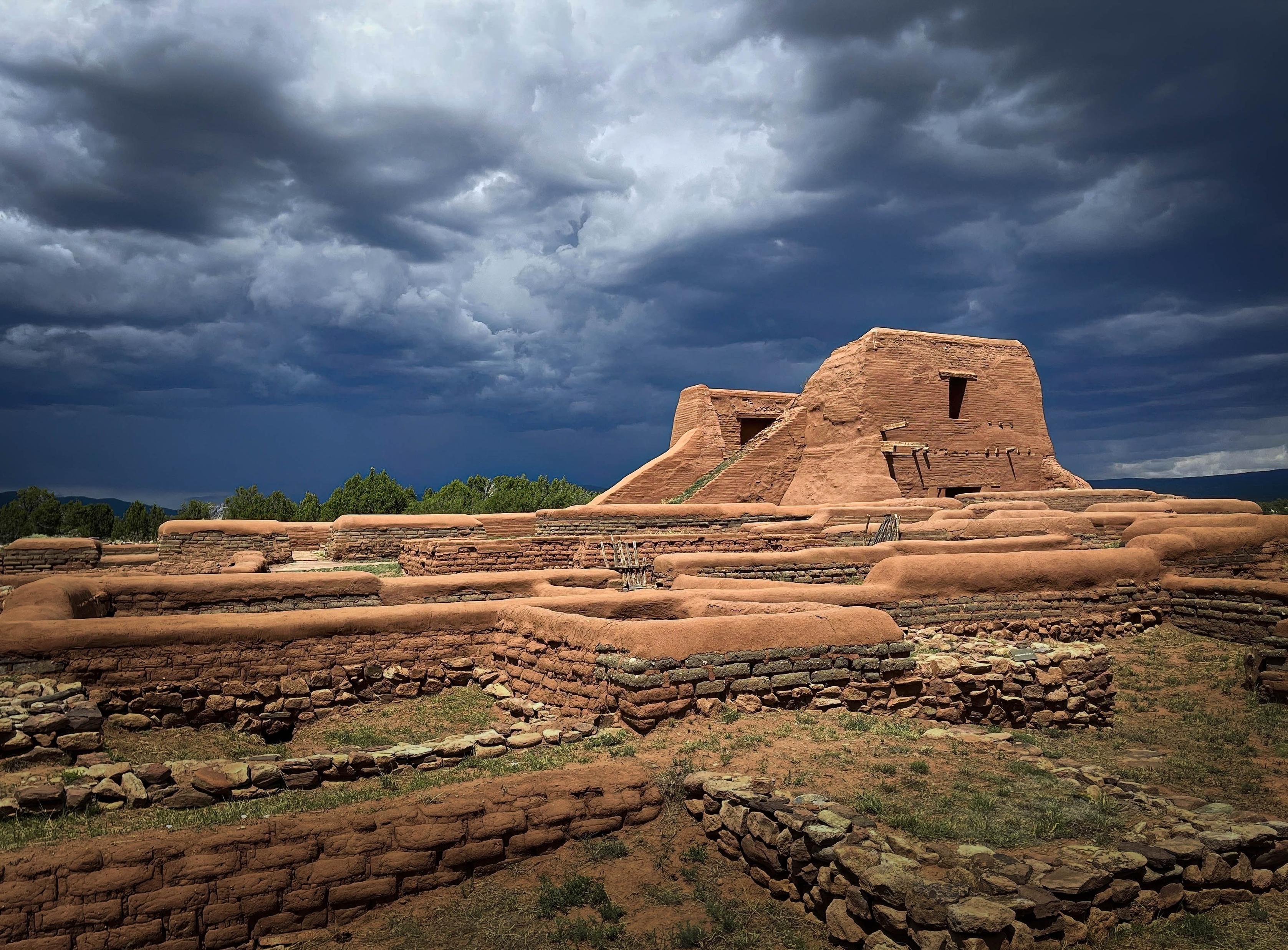
A summer thunderstorm rolls across Pecos National Historical Park in New Mexico. Thunder in the distance, lightning along the horizon, and sunlight breaking through behind me, lighting the adobe ruins against that deep blue stormy sky. One of my favorite things about summer in New Mexico.

https://rhfineartgallery.etsy.com/listing/4569784145/pecos-storm-pecos-pueblo-ruins-new

Adobe ruins at Pecos National Historical Park in New Mexico glow in warm sunlight beneath a dramatic sky filled with massive dark blue and gray thunderclouds. Low stone and adobe walls fill the foreground, with the larger adobe mission ruins rising against the storm in the distance.

#photography #nature #history #photo #art #fineart #clouds #buyintoart #wallart #adobe #newmexico #storm #artcollector

46

Caricamento...

1
20

Caricamento...

What have you people used to get away from Adobe Lightroom? This is about raw photos but also about properly managing a photo library.

I know about b

Altro...

What have you people used to get away from Adobe Lightroom? This is about raw photos but also about properly managing a photo library.

I know about both Rawtherapee and Darktable. I've used both in the past but mostly for one-shot RAW conversion. I've seen that Darktable now has machine learning support (e.g. Segment Anything for masking) which is a plus. But are there other (not necessarily open source) apps for photo libraries? Like what Affinity is for Photoshop...?

#photography #adobe

0

Caricamento...

0
1

Caricamento...

Stacked⠀

...

📷: @bds@pixelfed.social

📍: Yonge and Eglinton, Toronto, Canada⠀

Camera: Canon EOS 70D

Lens: Canon EF-S18-55mm f/3.5-5.6

EXIF: 55 mm

Altro...

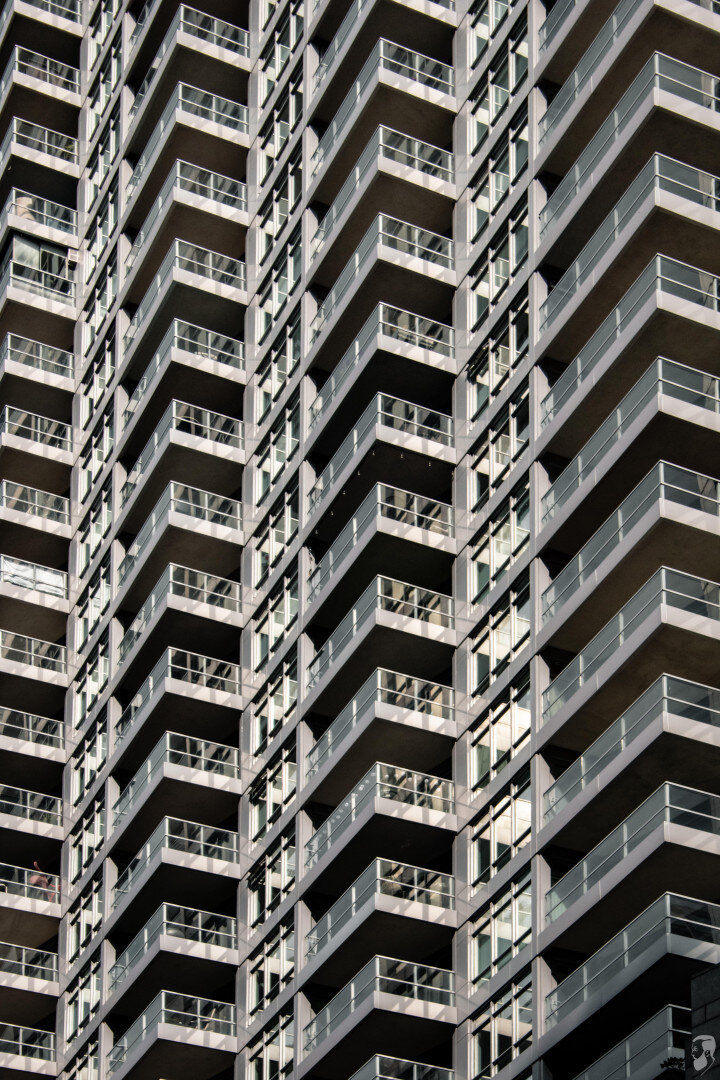
Stacked⠀

...

📷: @bds@pixelfed.social

📍: Yonge and Eglinton, Toronto, Canada⠀

Camera: Canon EOS 70D

Lens: Canon EF-S18-55mm f/3.5-5.6

EXIF: 55 mm || f/8 || 1/1000s || ISO 400

...

https://www.brandondasilva.com/photos/architecture-139-stacked

.

.

.

.

.

#photography #architecture #architecturephotography #urbanphotography #canon #canonphotography #raw #photographersofmastodon #canon70d #canoncanada #70d #adobe #architecturelovers #lightroom #affinityphoto

0

Caricamento...

0
1

Caricamento...

Shadows and angles⠀

...

📷: @bds@pixelfed.social

📍: Yonge and Eglinton, Toronto, Canada⠀

Camera: Canon EOS 70D

Lens: Canon EF-S18-55mm f/3.5-5.6

Altro...

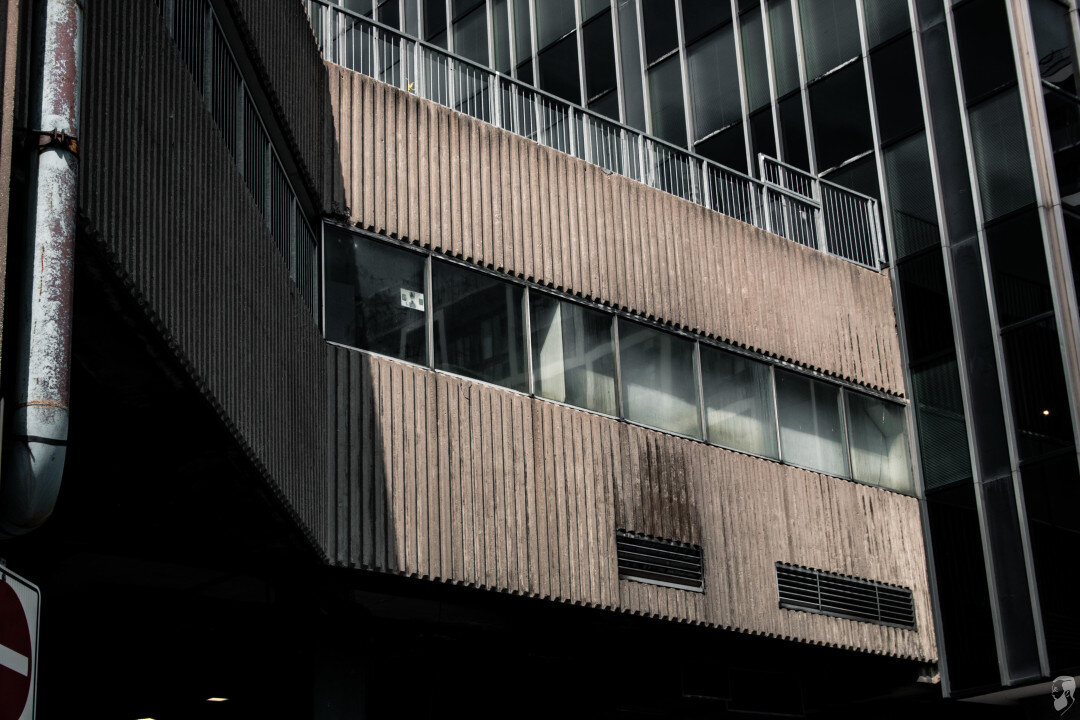
Shadows and angles⠀

...

📷: @bds@pixelfed.social

📍: Yonge and Eglinton, Toronto, Canada⠀

Camera: Canon EOS 70D

Lens: Canon EF-S18-55mm f/3.5-5.6

EXIF: 38 mm || f/8 || 1/1000s || ISO 400

...

https://www.brandondasilva.com/photos/architecture-138-shadows-and-angles

.

.

.

.

.

#photography #architecture #architecturephotography #urbanphotography #canon #canonphotography #raw #photographersofmastodon #canon70d #canoncanada #70d #adobe #architecturelovers #lightroom #affinityphoto

0

Caricamento...

0
2

Caricamento...

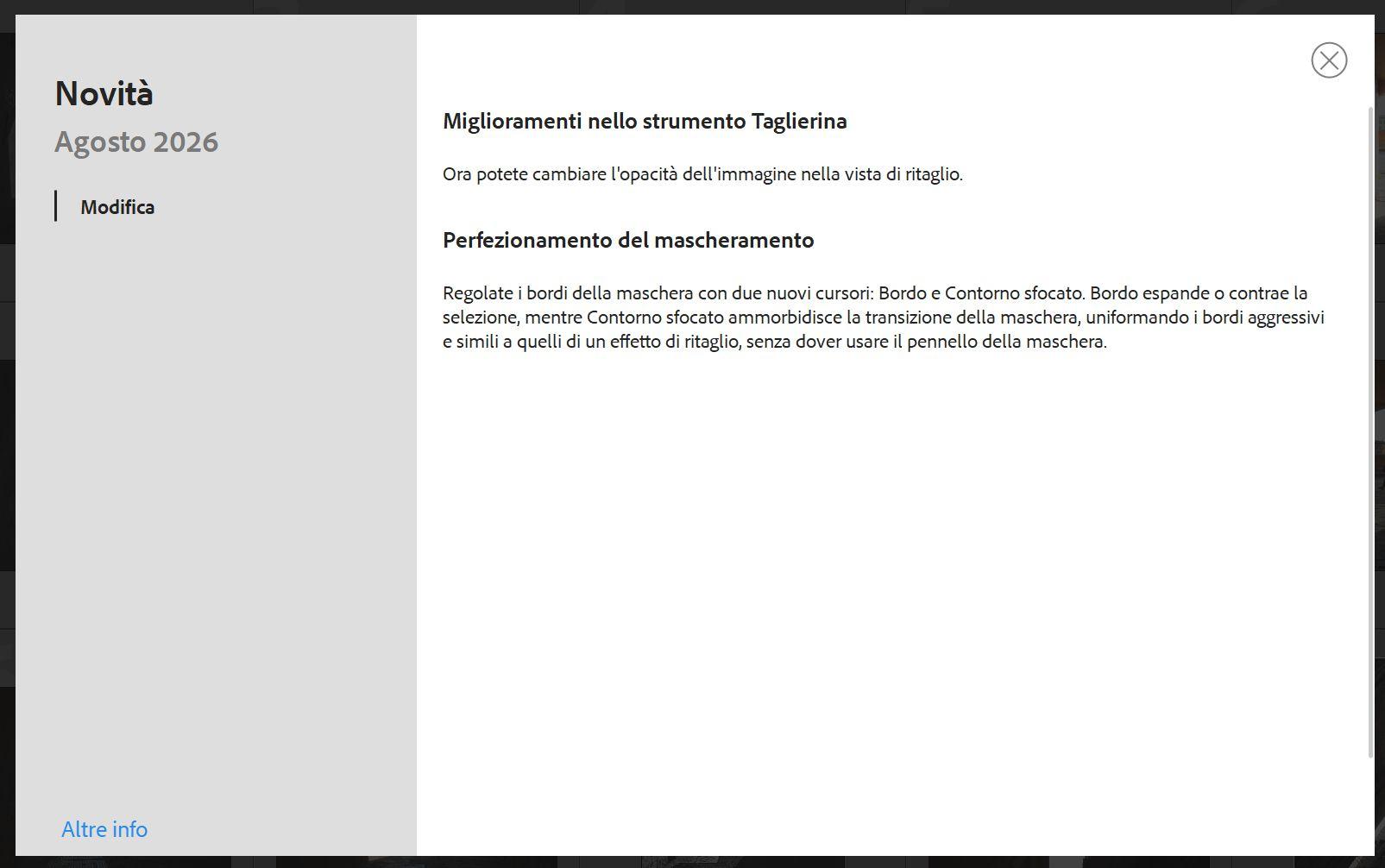
Un aggiornamento che attendevo!
Adobe ha introdotto per le maschere IA di Lightroom Classic le regolazioni Sfocatura e Bordo come in Adobe Camera Raw!

Altro...

Un aggiornamento che attendevo!
Adobe ha introdotto per le maschere IA di Lightroom Classic le regolazioni Sfocatura e Bordo come in Adobe Camera Raw!

#photography #adobe #lightroomclassic

2

Caricamento...

0
0

Caricamento...